
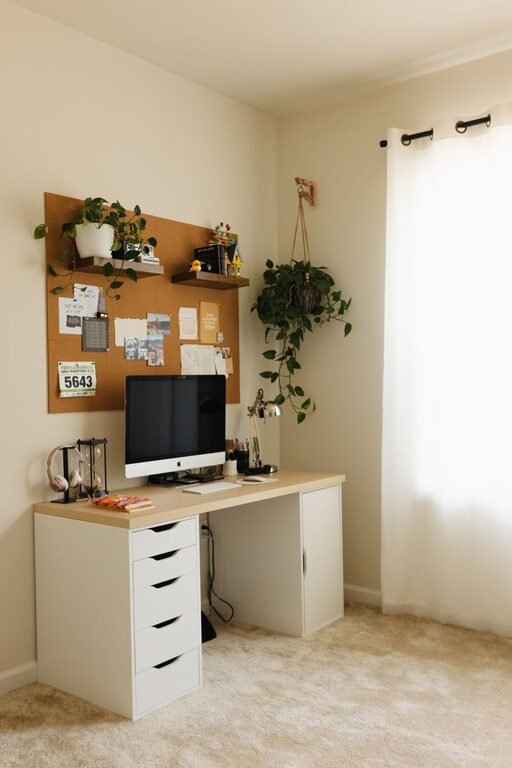
Creating a cozy and functional home workspace is essential for anyone working or studying from home. A well-designed area can help improve focus, reduce stress, and make your workday more enjoyable. Whether you have a dedicated room or a small corner, you can create a space that combines comfort with efficiency. Here are some helpful tips to guide you along.
Assess Your Space and Needs
Before you start setting up, take a close look at your available space and how you work best.
– Identify the best spot: Choose a quiet, well-lit area away from distractions.
– Consider your work style: Do you need a large desk or just a small one? Would you prefer to sit or stand?
– Plan for storage: Ensure there’s room for files, supplies, and equipment to keep your area tidy.
Choose Comfortable and Supportive Furniture
Your furniture choices impact both comfort and productivity.
Desk
– Select a desk size that fits your essentials without overcrowding.
– If possible, opt for a height-adjustable desk to alternate between sitting and standing.
Chair
– Invest in a supportive chair with adjustable height and lumbar support.
– Use cushions or ergonomic accessories if needed to enhance comfort.
Optimize Lighting
Good lighting reduces eye strain and improves mood.
– Natural light: Position your desk near a window for daylight.
– Task lighting: Add a desk lamp with adjustable brightness and direction.
– Avoid glare: Use curtains or blinds to control harsh sunlight on screens.
Organize and Declutter
An organized workspace helps keep your mind clear and focused.
– Use organizers, trays, or shelves to store supplies.
– Keep only essentials on your desk to minimize distractions.
– Regularly declutter and clean your area.
Personalize Your Workspace
Adding personal touches can make your workspace feel welcoming and inspiring.
– Display photos, artwork, or plants that uplift you.
– Choose a color scheme or decor that you find calming or motivating.
– Incorporate soft textures like a cozy rug or blanket for warmth.
Manage Cables and Technology
Tidy cables and efficient technology improve both safety and workflow.
– Use cable organizers or clips to keep wires neat.
– Position your computer and accessories for comfortable use.
– Ensure your internet connection and devices are reliable.
Incorporate Break and Movement Areas
Even in small spaces, plan for occasional movement or relaxation.
– Include a small spot for stretching or standing breaks.
– Use reminders or timers to encourage regular pauses.
Maintain Good Air Quality and Temperature
Fresh air and a comfortable temperature enhance concentration.
– Open windows when possible to circulate fresh air.
– Use fans, heaters, or air purifiers to create a pleasant environment.
Final Thoughts
Creating a cozy and functional home workspace doesn’t require a big budget or a large room. With thoughtful planning and simple adjustments, you can develop a space that supports your productivity and wellbeing. Remember that your needs may change, so be open to tweaking your setup over time for the best results.