
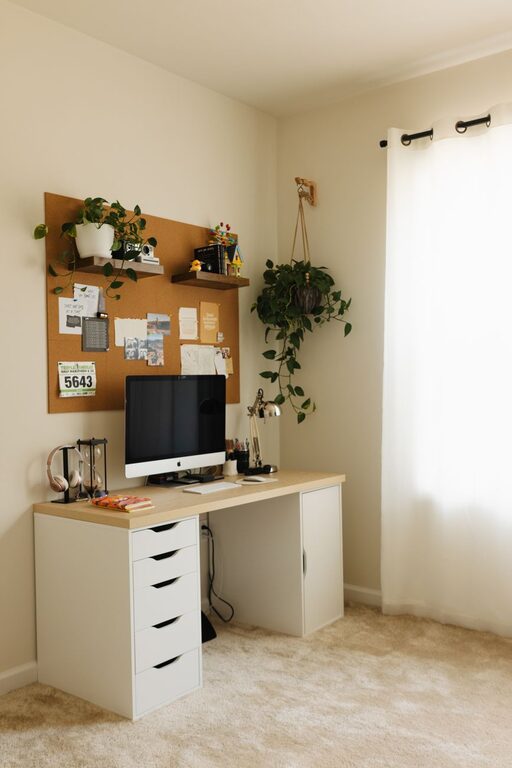
Creating a relaxing home workspace is essential for maintaining productivity and comfort throughout your workday. Whether you work remotely full-time or need a dedicated area for occasional tasks, designing a space that reduces stress and enhances focus can make a big difference. Here are some practical tips to help you create a calming and efficient workspace at home.
Choose the Right Location
Find a Quiet Spot
Select a location in your home that is as quiet as possible. Avoid high-traffic areas like the kitchen or living room to minimize distractions. Ideally, pick a room with a door so you can separate work from personal life.
Consider Natural Light
Position your desk near a window if possible. Natural light improves mood and energy, helping you stay alert and motivated. If natural light is limited, use daylight-simulating bulbs to brighten your space.
Invest in Comfortable Furniture
Ergonomic Chair
An ergonomic chair supports good posture and reduces discomfort. Look for adjustable features including seat height, backrest angle, and lumbar support.
Suitable Desk Height
Your desk should allow your arms to rest comfortably with elbows at about a 90-degree angle. Adjustable desks or standing desks can add versatility to your setup.
Create a Clutter-Free Environment
Organize Essentials
Use drawers, shelves, or organizers to keep supplies such as pens, notebooks, and chargers neatly stored but easily accessible.
Minimal Décor
Choose simple, calming décor elements like plants or soft artwork. Avoid overcrowding your workspace with too many items, which can cause visual stress.
Incorporate Soothing Colors and Textures
Choose Relaxing Colors
Soft, neutral colors like pale blue, green, or beige can promote calm and concentration. Bright or harsh colors may be distracting over time.
Add Comfortable Textiles
Consider a cozy rug, cushions, or a throw blanket to add warmth and texture to your space, making it more inviting and comfortable.
Manage Lighting Effectively
Use Multiple Light Sources
Combine overhead lighting with task lamps to reduce eye strain. Adjustable desk lamps let you fine-tune illumination for reading or screen work.
Reduce Glare
Position your computer screen to avoid glare from windows or lights. Use blinds, curtains, or anti-glare screen protectors as needed.
Personalize Your Workspace Thoughtfully
Add Personal Touches
Include a few personal items that inspire you, like photos, motivational quotes, or small souvenirs. Keep them limited to avoid clutter.
Use Plants
Indoor plants improve air quality and add a natural, soothing element to your workspace. Low-maintenance plants like succulents or snake plants are good options.
Incorporate Break and Movement Opportunities
Designate a Break Area
If space allows, set up a small corner with a comfortable chair for breaks away from your desk.
Encourage Movement
Use a standing desk or take short walks to break up long periods of sitting. Stretching regularly helps maintain focus and reduce physical tension.
Reduce Noise and Distractions
Use Noise-Cancelling Tools
If external noise is unavoidable, consider noise-cancelling headphones or white noise machines to create a peaceful work environment.
Set Boundaries
Communicate your work hours with others in your home to reduce interruptions. Use signs or signals if necessary to signal when you should not be disturbed.
Keep Technology Organized and Efficient
Manage Cables
Use cable organizers or clips to keep cords neat and prevent tangling.
Optimize Your Setup
Make sure your computer, keyboard, and mouse are positioned comfortably to reduce strain. Consider wireless devices to reduce clutter.
—
By integrating these tips, you can create a relaxing home workspace that not only boosts your productivity but also makes your work routine more enjoyable and comfortable. Remember that your workspace should reflect your personal needs and preferences, so feel free to adjust these suggestions to fit what works best for you.